Match the shot to that scene.
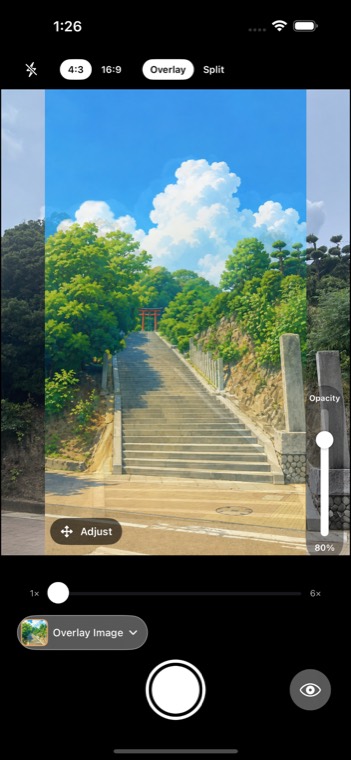
Overlay a screenshot of the scene on your camera, semi-transparent, and shoot the same composition. No more glancing back and forth between the picture on your phone and the viewfinder.
 Download on the App Store
- Line it up right there on location
- Check the match right after the shot
- Works with no signal at all
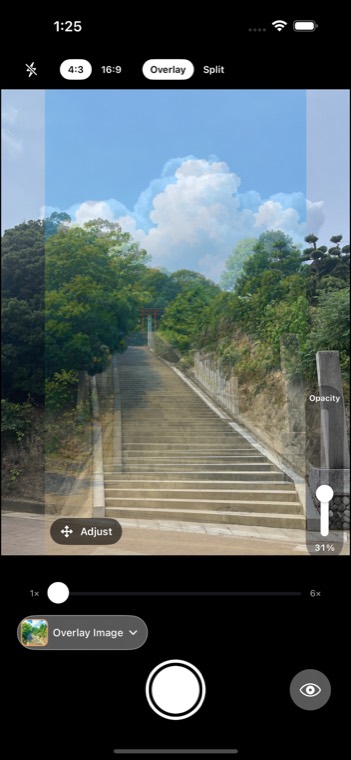
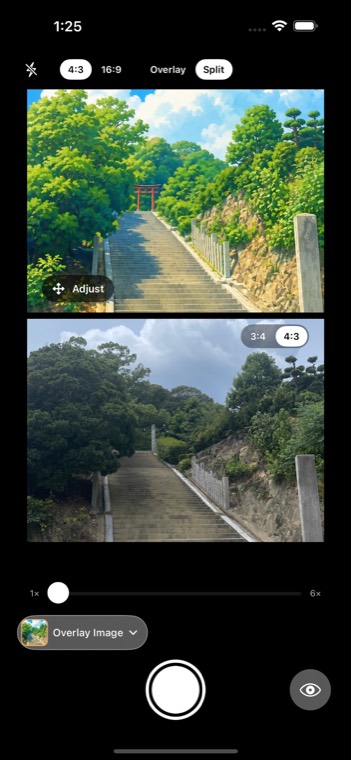
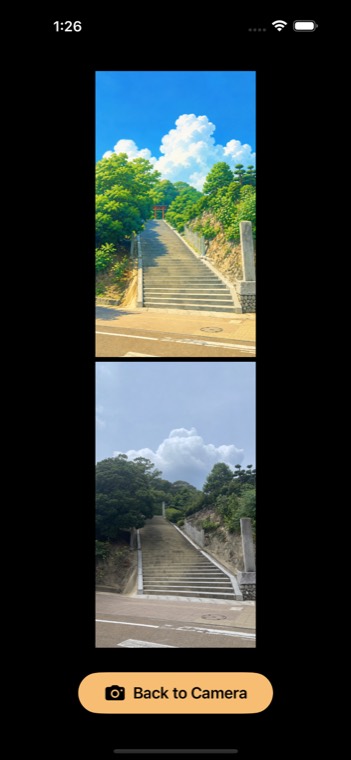
If the overlay is hard to see, switch to a split view and compare top and bottom.
Does the overlay appear in the saved photo?
No. The overlay exists only in the viewfinder, and what gets saved is an ordinary photo. Only if you tap Export on the review screen after a shot, a separate comparison image with your photo next to the overlay image is saved as well.
Does it work without a signal?
Yes. The app has no networking capability, so it behaves the same offline. Your chosen image never leaves the device.
Are there ads or in-app purchases?
No.
What else can I use it for besides anime pilgrimage?
Film and TV locations, then-and-now photos of the same spot, retaking old photos, tracking how your kids grow, perspective reference for artists. Anything where you want the same composition again.